Hourly Rate Calculator: Set a Target From Your Workweek
Hourly rate calculator: turn an income target, business costs, and billable hours into a starting rate, then see how your workweek changes the result.
By Notion Business Planner by Cosmo Suite · Editorial policy
Published · 8 min read
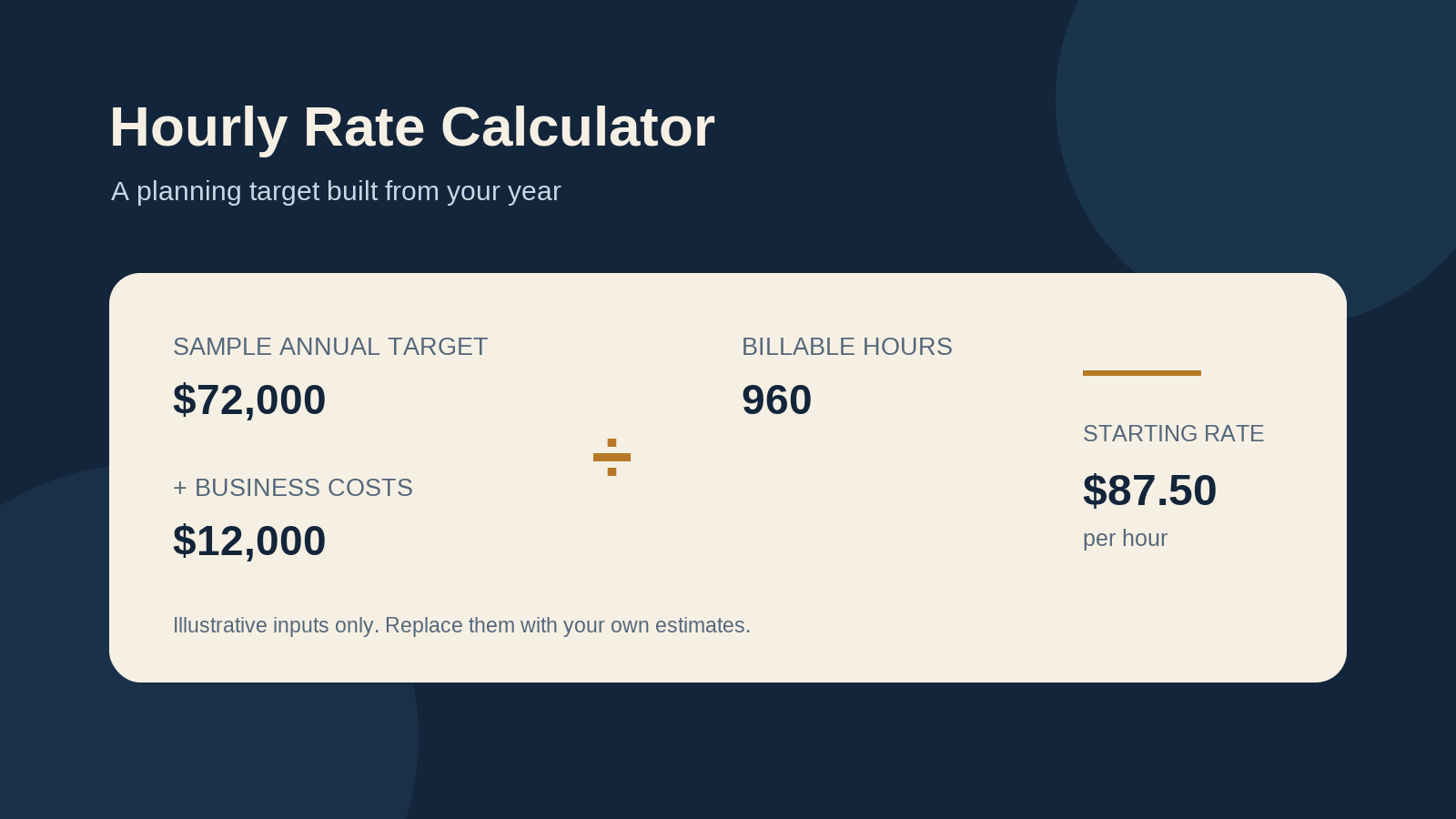
An hourly rate calculator needs two inputs people often guess: how much the business must bring in and how many hours can actually be billed. Starting hourly rate is a planning figure: divide an annual income target plus planned business costs by expected billable hours. Use the result to test your assumptions against your workweek.
For example, a $72,000 pre-tax income target plus $12,000 in annual business costs is $84,000 to cover. If you expect 960 billable hours in the year, the starting rate is $87.50 an hour. Those figures are sample inputs, not a recommended income or a market rate.
The hours do most of the work. If your calendar has 40 work hours a week, only some may be client hours. This guide shows how to estimate that share, run the calculation, and use the result for a quote. It also explains what the number leaves out.
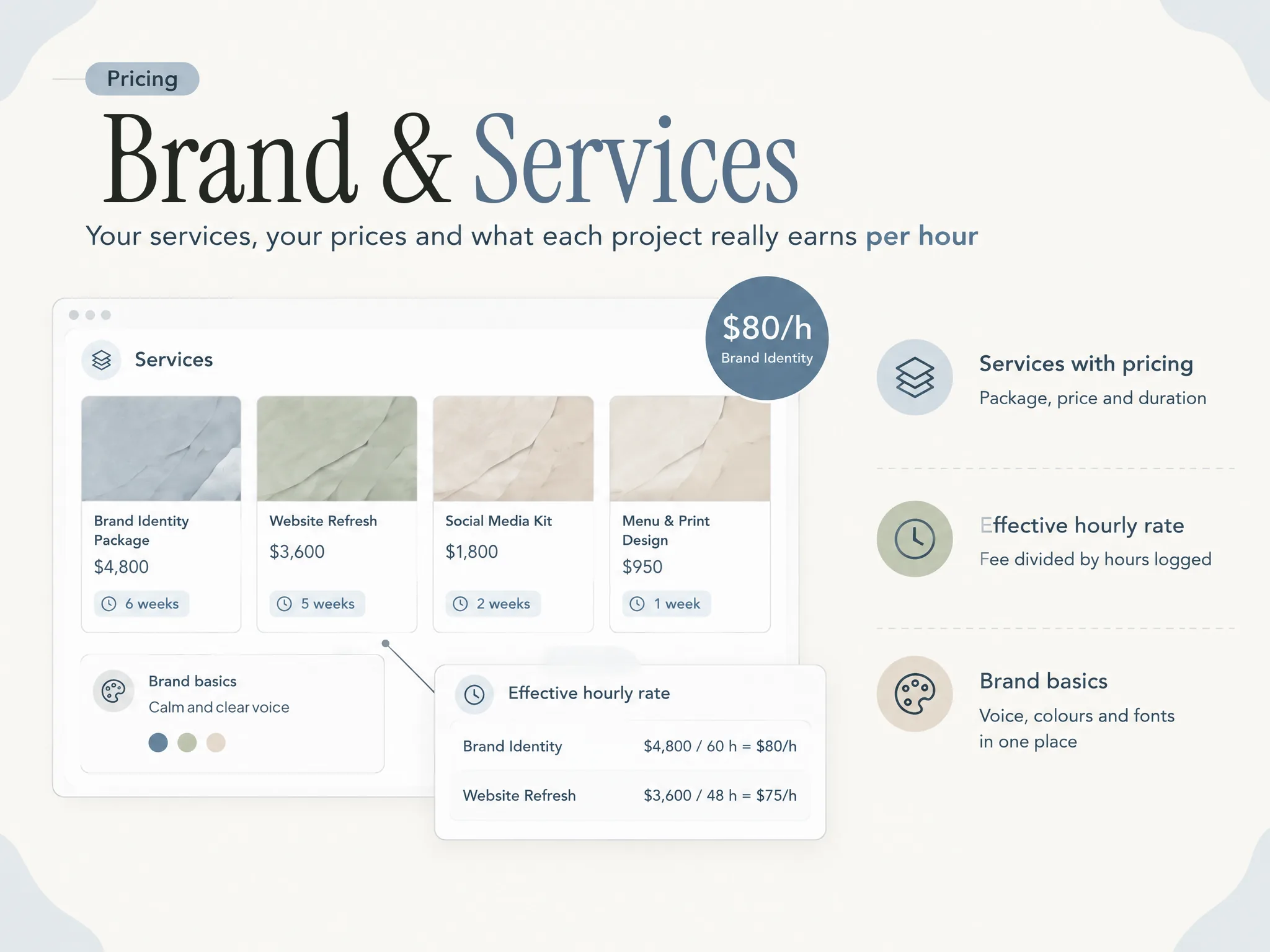
If you want to keep service prices near project budgets and logged hours, Notion Business Planner includes a Brand & Services page and project pages. You can also use the same calculation in a spreadsheet.
Hourly Rate Calculator at a Glance
Use this formula for a simple annual planning estimate:
Starting hourly rate = (annual pre-tax income target + annual business costs) ÷ annual billable hours
First estimate billable hours: work hours per week × working weeks per year × billable share. Keep your inputs in the same year and currency.
| Input | Sample value | How to choose it |
|---|---|---|
| Annual pre-tax income target | $72,000 | The amount you want the business to provide before personal taxes |
| Annual business costs | $12,000 | Your own planned operating costs for the year |
| Work hours each week | 40 | A realistic average, not your busiest week |
| Working weeks each year | 48 | Weeks available after planned time away |
| Billable share | 50% | The portion of work time expected to serve client work |
| Annual billable hours | 960 | 40 × 48 × 0.50 |
| Starting hourly rate | $87.50 | ($72,000 + $12,000) ÷ 960 |
The sample uses round figures to make the arithmetic easy to follow. Replace each one with your own numbers. The rate is before tax, and it assumes you can sell all 960 billable hours at that rate. Use it as a planning target. Your actual revenue depends on booked work and collected fees.
Estimate Billable Hours From Your Week
Billable hours are the hours you expect to spend on paid client work. They are usually fewer than total working hours because a solo business also needs time for sales, scheduling, invoicing, bookkeeping, and professional development. Count the time you can realistically sell, rather than treating every open calendar slot as billable.
Start with an ordinary week. If you work 40 hours and expect half of that time to go to client projects, use 20 billable hours per week. Multiply by the weeks you expect to work. In this example, 20 hours × 48 weeks gives 960 annual billable hours.
The 50% share is an assumption for this example. Your mix may look different. A new practice may spend more time finding work. A business with repeat projects may have less sales time. If you have time records, use those to estimate your own share. If you do not, calculate more than one scenario and revisit it after you have a few weeks of records.
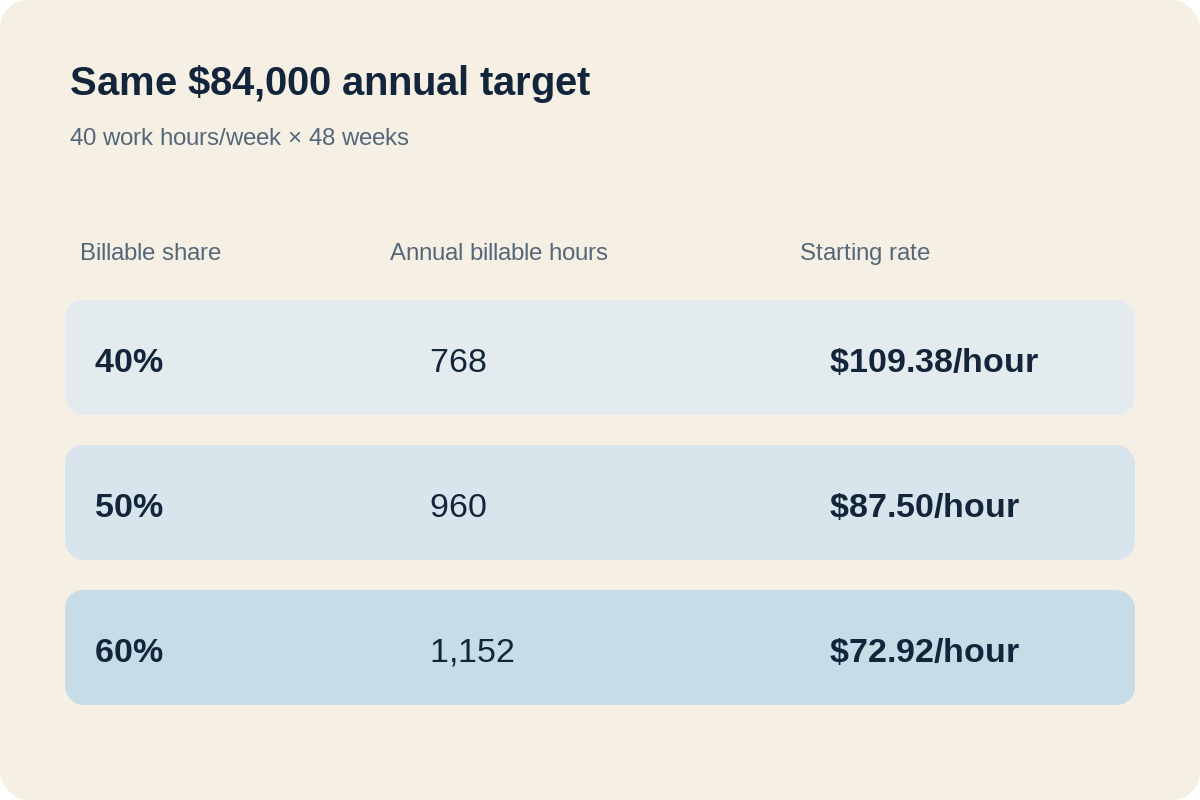
| Billable share of a 40-hour week | Billable hours across 48 weeks | Rate for an $84,000 annual target |
|---|---|---|
| 40% | 768 | $109.38/hour |
| 50% | 960 | $87.50/hour |
| 60% | 1,152 | $72.92/hour |
The target and annual costs stay at $84,000 in all three rows. A smaller billable share means fewer hours carry the same target, so the starting rate rises. The comparison makes your assumption visible. It does not tell you which schedule or rate clients will accept.
Build an Annual Target That Fits Your Business
Write down the annual amount you want the business to provide before personal taxes. Add the business costs that need to be covered by client revenue. Use a single year for both figures. If your target is monthly, multiply it by 12 before adding annual costs.
For this example, the income target is $72,000 and planned business costs are $12,000. The amount to cover is $84,000. Both numbers are hypothetical. The example does not estimate taxes, health insurance, retirement savings, or a reserve for slow periods. Those choices vary by person and business, so add them only with guidance that fits your situation.
Keep an expense list behind the annual cost estimate. The IRS recordkeeping guidance describes business records such as invoices, receipts, and account records that can support bookkeeping. Its guidance is about recordkeeping, not a rate formula. The SBA's business management resources cover financial management and cash-flow planning. Use your own records and qualified professional advice when deciding what belongs in a business budget.
Run the Calculation One Step at a Time
Follow the same sequence whenever you update your assumptions:
- Choose a period. Use one year for the income target, business costs, and hours.
- Add the target and costs. In the example, $72,000 + $12,000 = $84,000.
- Estimate available client hours. 40 work hours × 48 weeks × 50% = 960 hours.
- Divide the annual amount by those hours. $84,000 ÷ 960 = $87.50 per hour.
- Save the inputs. Record the target, costs, working weeks, and billable share so you can see what changed next time.
If you prefer a monthly view, divide annual figures by 12 after you calculate the yearly rate. Avoid mixing monthly costs with annual hours. That mismatch makes a result look much lower than it should.
You can do this in a spreadsheet, a calculator, or a planning workspace. A simple table needs four columns: input, amount, period, and note. Keep the annual amount to cover separate from the estimated billable hours. That makes the result easier to update when your calendar changes.
Turn the Starting Rate Into a Project Quote
Use the starting rate as a check on your estimate, then price the work you will deliver. If a project looks like 18 hours at $87.50 per hour, the arithmetic gives $1,575 before any other choices about scope or fees. The $1,575 figure illustrates the arithmetic; it is not a suggested market price.
Before sending a fixed-fee quote, list what the project includes. Estimate the work, client communication, revisions, and handoff that belong to the scope. If those tasks bring the estimate from 18 hours to 24, the same $1,575 fee implies $65.63 per estimated hour. Decide whether to change the fee, narrow the scope, or revise your time estimate.
After delivery, compare the quote with the time you recorded. The effective hourly rate formula for a completed project uses the project fee divided by hours spent. That is a backward-looking check. The calculator here works in the other direction by setting a rate target from annual assumptions.
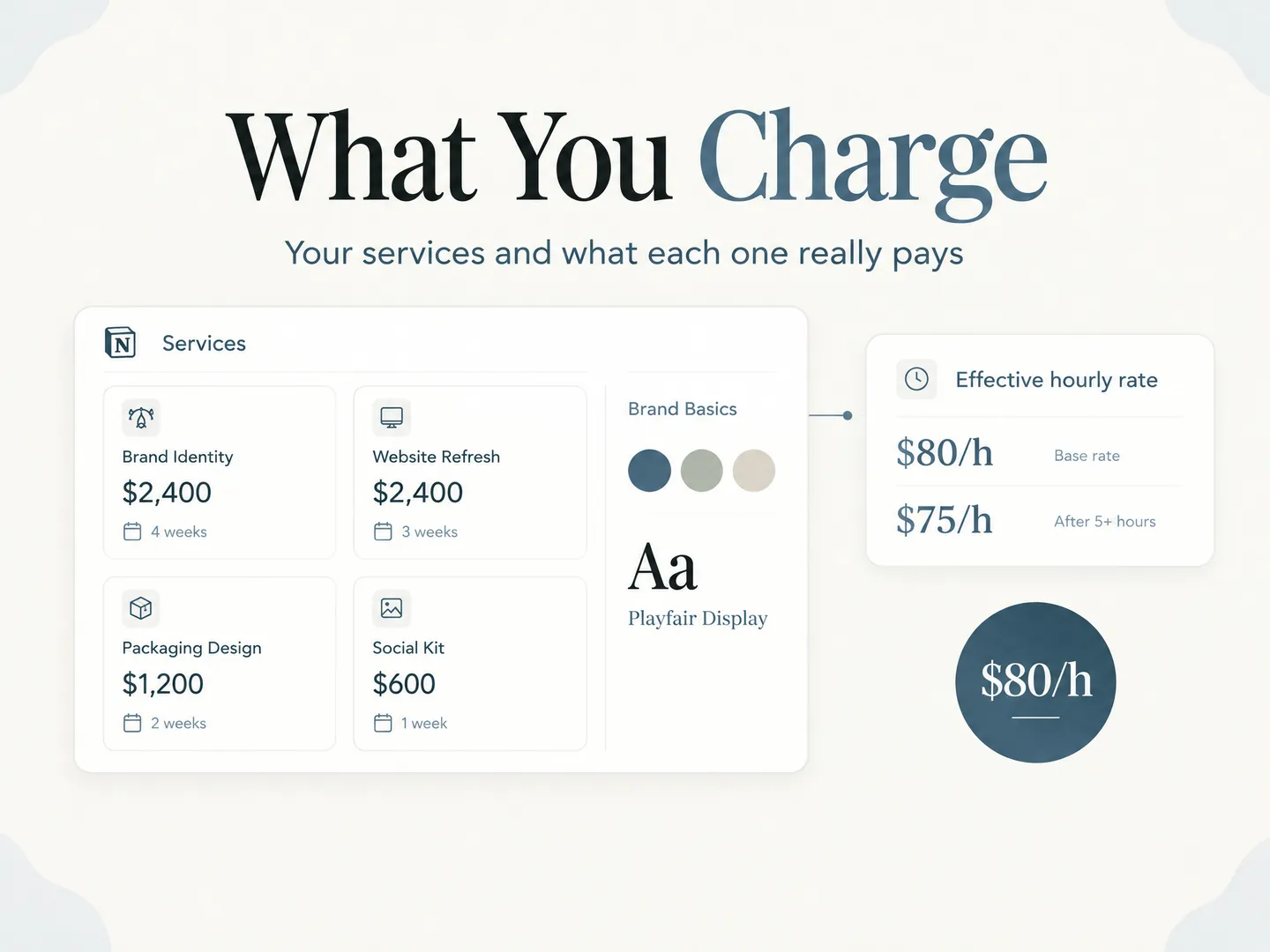
The product image shows sample prices and rate calculations for listed services. Use the values as examples of how service information can be displayed, not as a claim about what you should charge. The Notion Business Planner has a Brand & Services page for service pricing and project pages with budgets and logged hours. You can also keep these fields in a spreadsheet.
Read the Result Alongside Your Project Records
A calculated target and a completed-project rate answer different questions. The target divides an annual amount by expected billable hours. A completed-project rate divides one project's fee by its recorded time. Comparing them can help you review an estimate, provided the project hours include the work you meant to count.
The project record gives the number context. Save the service, scope, agreed fee, estimated hours, actual hours, and any scope changes. For fixed-fee work, compare similar projects separately before combining results. One short project and one long project can produce a misleading average if you add the fees and hours without checking what each job included.
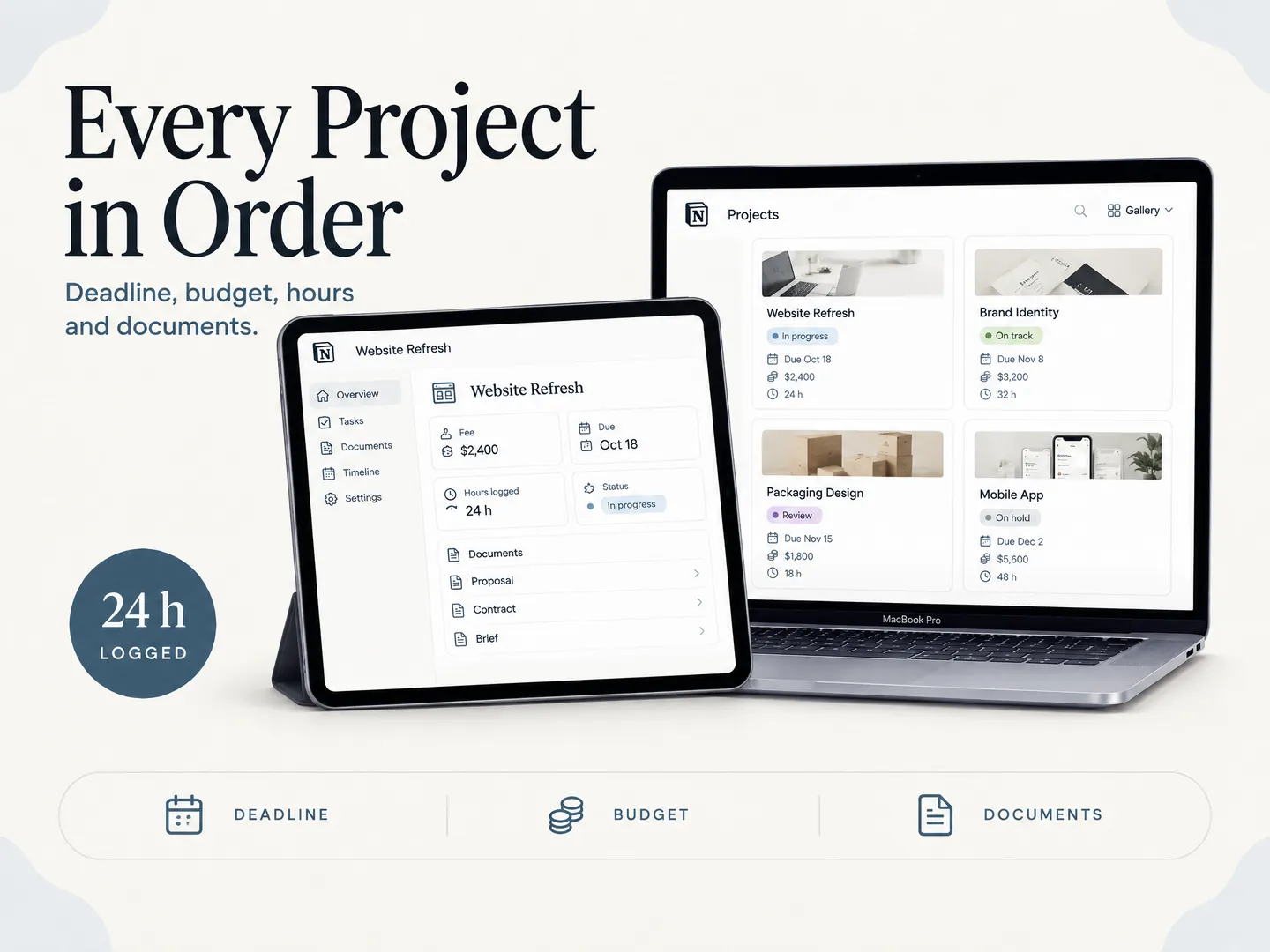
The one-page freelance business plan can help you keep a business target with your broader plan. For a weekly view of client work and business tasks, see the six areas one-person businesses can track. Notion Business Planner's project pages show budgets and logged hours, while its Brand & Services page lists services and prices. The workspace is one way to keep these inputs near each other; the calculation itself works in any tool.
What This Calculator Leaves Out
This simple rate model does not calculate personal taxes, determine a tax set-aside, or tell you what clients will pay. It also assumes you can book the billable hours in your estimate and collect the fees. If you want a rate that accounts for taxes, insurance, savings, payment delays, or other factors, get advice from a qualified professional who understands your circumstances.
It also treats the billable share as steady across the year. In practice, some weeks may have more client work and others more admin or sales. A month with fewer projects can reduce your billed hours even when your workweek stays full. Track planned hours beside actual hours, then replace assumptions with your own records.
The IRS says businesses should keep records that support their books, such as invoices and receipts. The SBA provides resources on managing business finances and cash flow. Those sources can help you think about the records behind your inputs; neither endorses this formula. This article offers a basic planning calculation, not accounting, legal, or tax advice.
How We Checked the Example
The income target, cost estimate, workweek, billable share, and project hours in this guide are illustrative inputs. The calculations were checked on 24 October 2026 using the formulas shown in the article. The IRS and SBA links support the discussion of business records and financial planning. They do not provide or endorse the hourly-rate formula here.
Notion Business Planner by Cosmo Suite publishes this article. Read the site's editorial policy for how we prepare and correct posts, or visit the about page for contact details.
A Notion Setup for Hourly Rate Planning
Keep your annual target, costs, available work weeks, and billable share in one planning note. Add the calculation date and a sentence explaining any estimate you had to make. When you review the number later, you can change one input at a time and see why the result moved.
Notion Business Planner includes a Brand & Services page with pricing and sample hourly-rate calculations, plus project pages for budgets and logged hours. The Notion business planning workspace puts these pages alongside business goals and weekly planning. It does not make the calculation a forecast or replace your own review of the numbers.
Review the estimate when your target, costs, work schedule, or client mix changes. Keep the assumptions beside the result so you can update the same calculation later.
Frequently asked questions
How do I calculate my hourly rate as a freelancer?
Add your annual pre-tax income target to your planned business costs, then divide by the billable hours you expect to work. The result is a starting rate for planning. It does not account for personal taxes or guarantee that you will book those hours.
How many billable hours should I use?
Estimate from your actual workweek. Subtract time for marketing, administration, learning, and other work you do not bill to a client. If you do not know your share yet, calculate a few scenarios and update the estimate when you have your own time records.
Should I include business expenses in my hourly rate?
Include an annual estimate of the business expenses your client work needs to cover. Use your own records and keep the expense period consistent with the annual income target. The calculation is a planning model, not tax or accounting advice.
Is my target hourly rate the same as take-home pay?
No. This calculation starts with a pre-tax income target and business costs. It does not calculate taxes, personal deductions, retirement contributions, unpaid invoices, or the cash you take home. Ask a qualified adviser how to plan for those items.
Can I use the result for a fixed-price project?
Yes, as one input. Multiply the starting rate by the hours you expect the project to take, then check the scope, revisions, and delivery work in your estimate. After the project, divide its fee by the hours you logged to compare the estimate with the result.
How often should I update an hourly rate calculation?
Review it when your income target, business costs, available work hours, or client mix changes. You can also compare the estimate with completed projects during a monthly review, using the same fee and hour rules each time.
Sources
Keep reading
Money and Pricing
Effective Hourly Rate: How to Calculate What a Project Pays
Calculate an effective hourly rate for fixed-fee work with a simple fee ÷ hours formula, three labelled project examples, and a checklist for your next quote.
· 9 min read
Money and Pricing
Billable Hours vs Non-Billable Hours: Log Both When You Work Alone
Billable hours are only part of your week. Log billed, absorbed and non-billable time, then see what an hour of work really pays, with a worked example.
· 8 min read
Money and Pricing
Freelance Rates: How to Set Yours From Costs and Target Income
Freelance rates need a floor your own costs set and a market check you can verify. See how to reconcile the two, quote the result and review it.
· 10 min read
