Billable Hours vs Non-Billable Hours: Log Both When You Work Alone
Billable hours are only part of your week. Log billed, absorbed and non-billable time, then see what an hour of work really pays, with a worked example.
By Notion Business Planner by Cosmo Suite · Editorial policy
Published · 8 min read
Billable hours are the hours you can charge to a client. Most pages on the term describe law firms, where an annual quota drives the day. A one-person business has no quota. It has a week of work, and the useful question is where all of that week went.
Most solo workers log only the billable part. That hides two things: client work you did but never billed, and the unpaid work that brings clients in. A log that records both shows what an hour of your time pays. This guide follows one fictional week to show how. A Notion workspace with project pages and a time-tracked planner can hold such a log, though the method works in any tool.
Billable hours are hours of work for a client that you can charge for. Absorbed hours are client work you did and did not charge for. Non-billable hours are hours that keep the business running but belong to no client invoice.
Key takeaways:
- Log three buckets, not two: billed, absorbed and non-billable.
- Your quoted rate pays for every hour of the week, not only the billed ones.
- Divide income by hours worked to see what a week paid, and by billed hours to set a rate.
- Shrink the absorbed bucket first, because it is client work you already did.
What Counts as a Billable Hour When You Work Alone
An hour is billable when it is client work you may charge for under your agreement. Everything else is non-billable, even when it is useful.
Indeed's guide to billable hours gives the plain version: billable hours are hours you work that can be charged to a client, and it lists tasks such as invoicing and payroll as non-billable. The distinction matters in every setting. The Yale Law School career office's note on the billable hour shows a lawyer at work for 50 hours who bills 37.5. The 12.5-hour gap is lunch, breaks, reading and correspondence, meetings, conferences and training. If a profession built around the billable hour loses a quarter of the week that way, a solo worker should expect a gap too.
| Type of work | Bucket | Test |
|---|---|---|
| Drafting or building a deliverable | Billed | It will appear on an invoice |
| Extra revision rounds you do not charge for | Absorbed | Client work, no invoice line |
| Invoicing and bookkeeping | Non-billable | Upkeep of the business |
| Proposals and calls for unsigned work | Non-billable | No client yet |
| Learning a tool for your own use | Non-billable | Benefits you, not one client |
The test is one question: will this hour reach an invoice? Ask it when you log the hour, because at month end the answer is a guess.
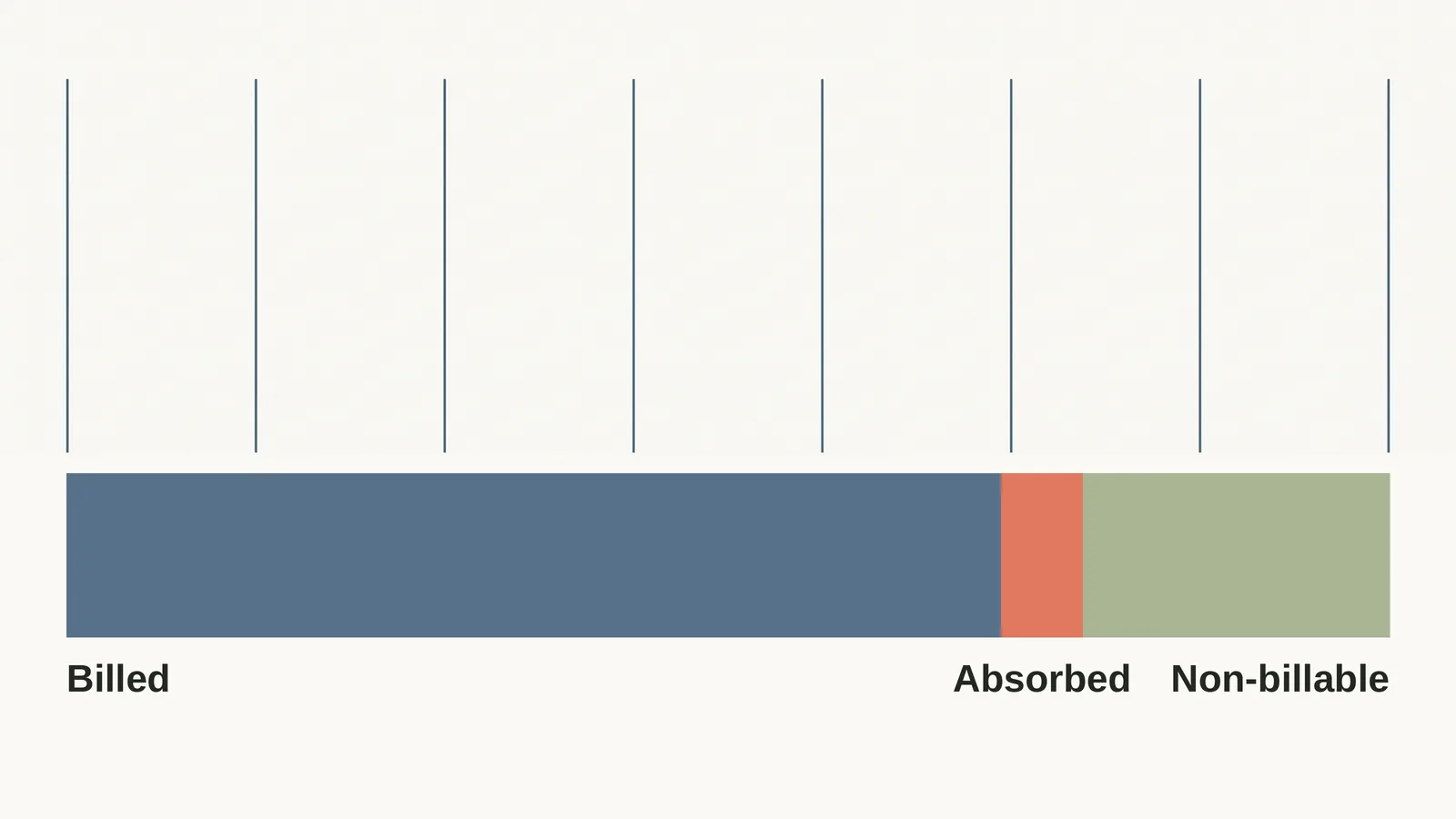
Log Three Buckets, Not Two
One row per work block is enough. Each row holds a date, a project, a short task note, the hours and the bucket.
Five habits keep the log honest:
- Log when the block ends. Memory at the end of the week drops short blocks, and those are often the admin ones.
- Round to a fixed step. Quarter hours are a common choice, and one step used every time matters more than the step itself.
- Pick the bucket on the spot. Use the invoice question from the table above.
- Record non-billable time with the same care. Admin and sales hours are the ones people skip, and they are the reason the gap exists.
- Note the cause of an absorbed hour. A short tag such as "extra revision" or "scope added" tells you later what to fix.
The guide to time tracking in Notion covers how to build the log itself, including the limit that Notion has no timer of its own. This article assumes you have a log and shows what to read from it.
A Worked Week: 38 Hours Worked, 23 Billed
The numbers below are a fictional demonstration, not customer data. The methodology is plain addition and division, with every input shown. A solo designer charges $80 an hour and logs one week.
| Bucket | Hours | What was in it |
|---|---|---|
| Billed | 23.0 | Client deliverables on three invoices |
| Absorbed | 3.5 | Two extra revision rounds past the agreed scope |
| Non-billable | 11.5 | Admin 5.0, sales 4.5, learning 2.0 |
| Total | 38.0 | All logged work |
The invoice for the week is 23.0 hours times $80, which is $1,840. The 3.5 absorbed hours, at the same rate, were $280 of work nobody paid for.
Now divide the same $1,840 three ways.
| Reading | Hours | Sum | Result |
|---|---|---|---|
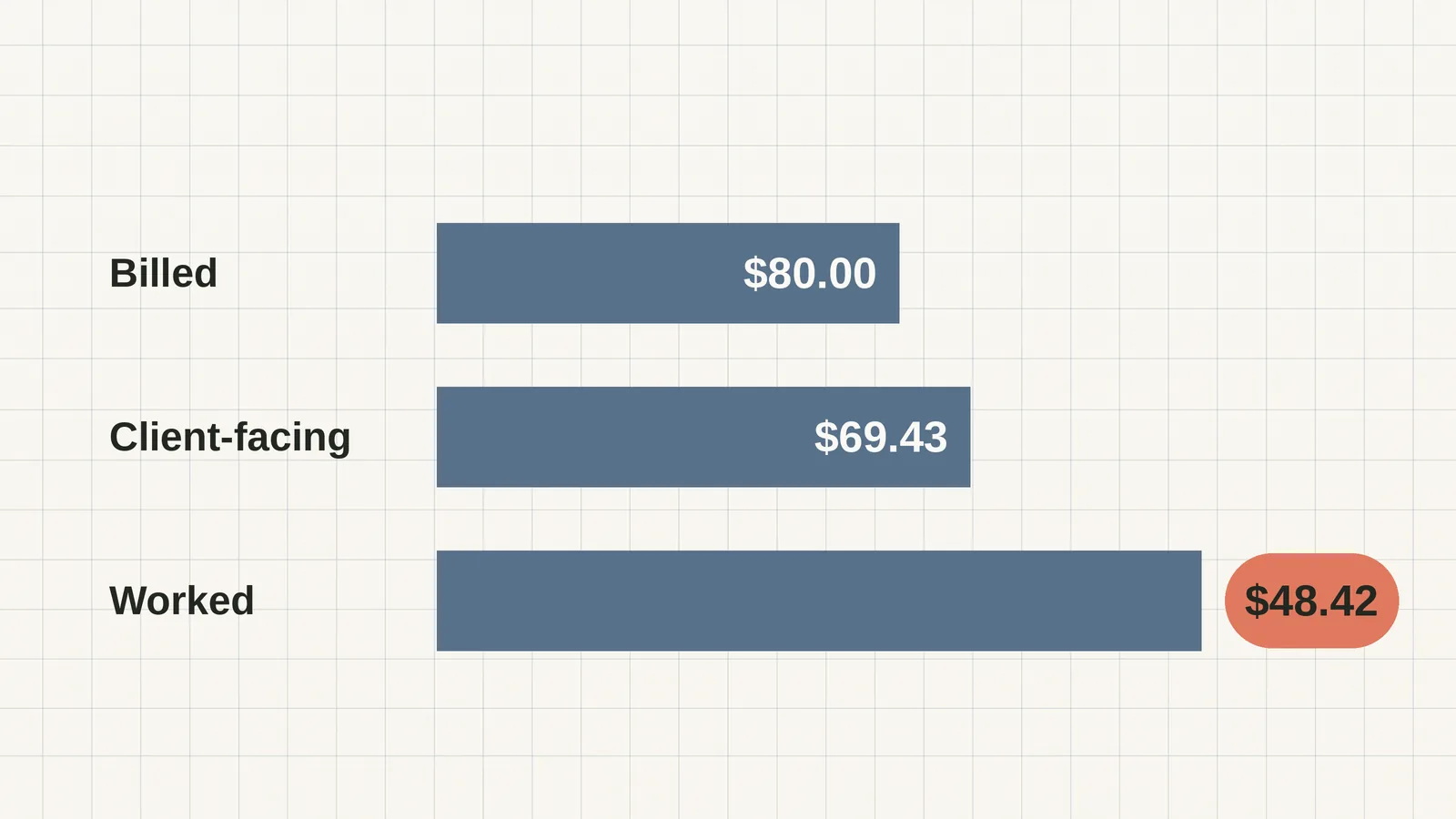
| Billed rate | 23.0 | $1,840 ÷ 23.0 | $80.00 |
| Per client-facing hour | 26.5 | $1,840 ÷ 26.5 | $69.43 |
| Per hour worked | 38.0 | $1,840 ÷ 38.0 | $48.42 |
The sticker rate is $80. The week paid $48.42 for every hour at the desk, which is $31.58 less. Both figures are correct: $80 is what you charge, $48.42 is what the week paid, and the difference is work the invoice never saw.
Over four such weeks the log would show 92 billed hours, 14 absorbed, 46 non-billable and 152 worked. Revenue would be $7,360, and $7,360 ÷ 152 is still $48.42.
Which Hours to Use for Which Decision
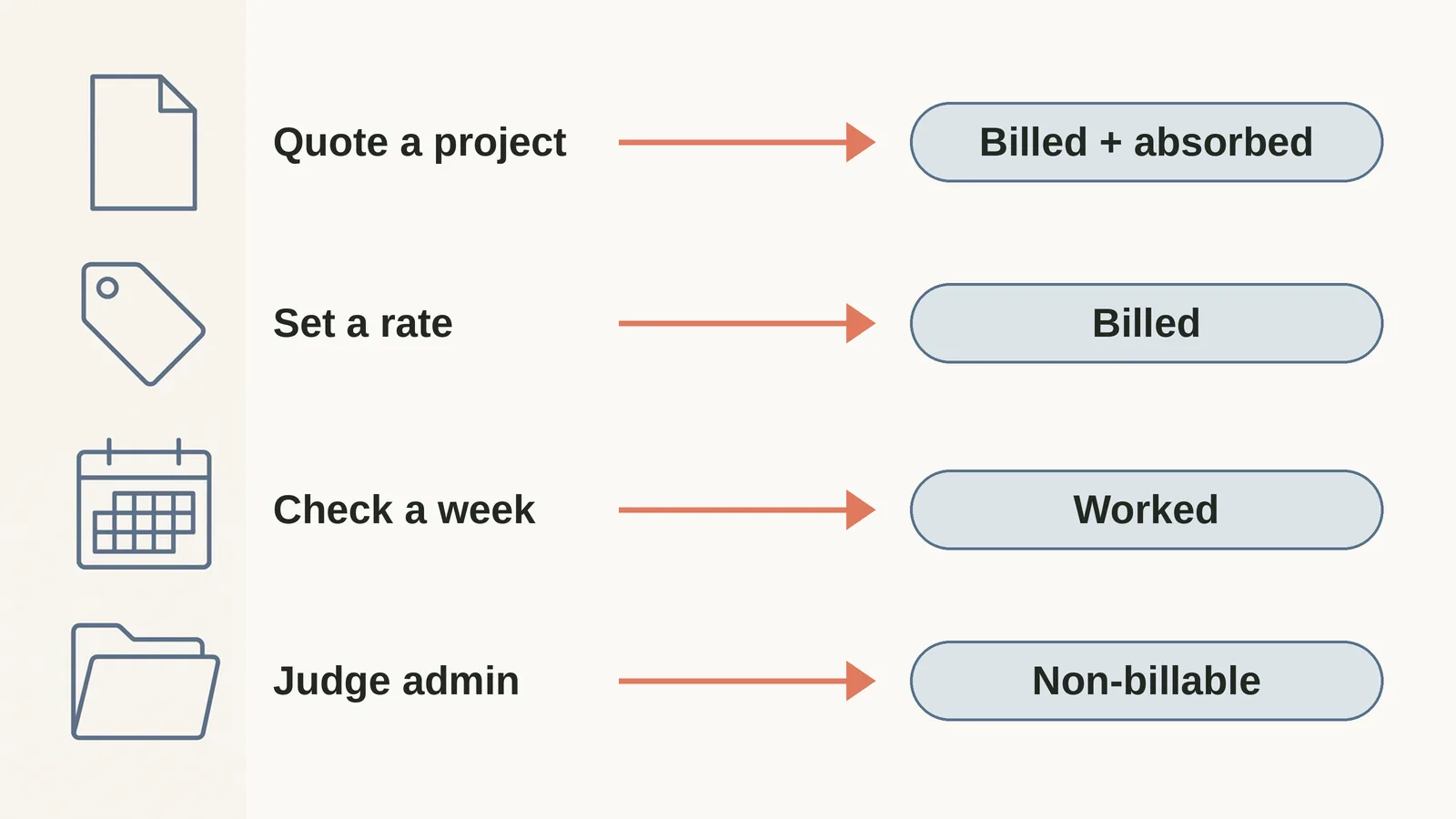
Each decision needs a different hour count, and mixing them is the usual mistake.
| Decision | Use this count | Why |
|---|---|---|
| Quote a new project | Billed plus absorbed hours on similar past jobs | Absorbed hours show the real size of the work |
| Set an hourly rate | Billed hours you expect in the year | Only billed hours carry an invoice line |
| Check whether a week paid | Hours worked | Every logged hour cost you time |
| Judge admin load | Non-billable share | It is the part you can trim or price in |
Rates are where this bites. Suppose the same designer works 46 weeks a year. The log gives 1,058 billed hours (23 × 46) and 1,748 worked hours (38 × 46). A revenue goal of $84,640 needs $80 an hour across billed hours. Spread over worked hours it is the $48.42 above. A rate built on worked hours undercharges, because the invoice only counts billed ones.
The hourly rate calculator guide shows the full formula, and the breakdown of effective hourly rate covers the same division after a project closes.
Shrink the Absorbed Bucket First
Absorbed hours are the cheapest fix, because they are client work you already did. In the week above they cost $280. Unlike admin, they have a direct cause in the agreement.
Look at the note you wrote beside each one. Extra revisions point to a missing revision limit. Added scope points to a missing change request step. A fixed fee that ran long points to an estimate built without past hours. Fix the cause in the next quote, and the bucket shrinks without any extra effort in the week itself.
Where the same client sends work every month, a flat monthly arrangement can replace many small absorbed hours. The retainer pricing guide on this site explains how to set one up. Keep the log running under a retainer, since it tells you whether the flat fee still covers the hours.
What Most Billable-Hour Guides Leave Out
Employers use the billable hour as a quota. In a one-person business it works better as an input to a price.
Do not chase the count. More billed hours with the same rate is more income only if the work is real. Padding time hurts trust, and Indeed's guide stresses tracking hours honestly.
Price the non-billable share in. Eleven and a half hours of admin, sales and learning is part of running the business. Your rate has to pay for them. A rate set as though every hour were billed leaves that time unpaid.
Compare weeks, not days. One day with two billed hours is just a bad day. Four to six weeks of the log show your real billed share.
Keep income next to hours. A number from the log means more beside income and invoices. A planner that keeps project hours with income and invoices puts them on one dashboard, so the comparison needs no second file.
Read the Log Once a Month
A monthly look at three figures is enough: billed hours, absorbed hours and non-billable hours. Compare each with last month, then write one change for the next one.
A monthly business review fits this step. If absorbed hours rose, look at the cause tags. If non-billable hours rose, check whether sales work is paying off. If billed hours fell, check what was booked.
The utilization rate guide turns the billed share into one percentage, if you want a single number to track over time.
Why Trust This Article
A note about us: Cosmo Suite publishes this site and the template it mentions. This guide separates what the sources say from what the example shows. The definition and the non-billable examples come from Indeed's billable hours guide. The 50-hour week with 37.5 billed comes from the Yale career office note. We read both on 23 November 2026 as part of our editorial fact-check.
The worked week is our own fictional arithmetic with every input shown. It is not a market benchmark or a customer result. Notion Business Planner is published by the same company, so the mention below is a product reference, not an independent endorsement. Your agreements and costs will differ, so verify before you rely on any figure here.
Where Notion Business Planner Fits
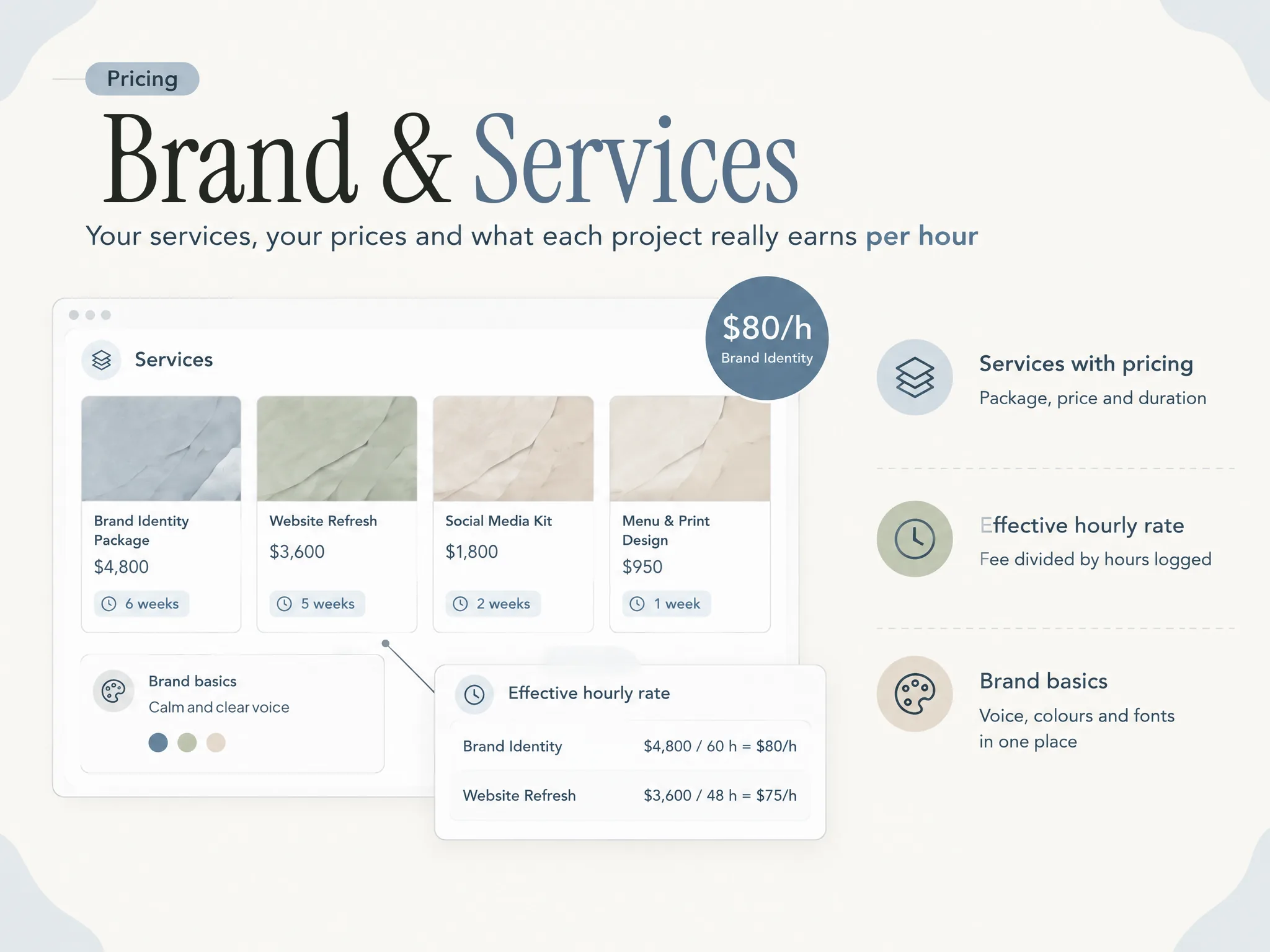
The bottleneck in this method is keeping hours, income and rates in one place. Notion Business Planner lists project pages with budget and hours, a daily, weekly and monthly planner with time tracking, and a Brand & Services page with effective hourly rates. Its dashboard shows income and expenses against target.
Notion's own help pages list database properties such as number, select, checkbox, formula and rollup, which is enough to build the log yourself. Those pieces cover the hours side and the money side of the log above. The listed contents do not include a bucket field, so you would add a billed, absorbed or non-billable property to your own time entries. The template does not set a rate or tell you which hours to count. You decide those and enter the records.
This article is general business information, not financial, tax or legal advice. Compare the template's contents with how you work before you choose a record system.
Frequently asked questions
What are billable hours for a freelancer?
Billable hours are the hours you work for a client that you can charge for. Indeed's guide describes them as hours worked that can be charged to a client, with administrative work such as invoicing counted as non-billable. Your client agreement decides what you may invoice, so check it before you classify an hour.
Should I log non-billable hours too?
Yes. A log with only billable hours cannot show what your week cost you. Record admin, sales and learning with the same care as client work. Then you can see the full hours behind each invoice and decide whether to trim that time or build it into your rate.
Do I get paid for non-billable hours?
Not directly. No invoice line covers them. The money for non-billable time has to come from the rate you charge on billed hours. In this article's example week, 11.5 of 38 hours were non-billable, and the $80 rate had to pay for them as well.
What is the difference between billable and billed hours?
Billable hours are hours of client work that could be charged. Billed hours are the ones that reached an invoice. For one person the gap is usually absorbed work: extra revisions, scope creep or a fixed fee that ran over. Logging that gap as its own bucket makes it visible.
How many billable hours should I aim for in a week?
There is no fixed number. Yale's career office uses 37.5 billed hours from a 50-hour week as a law firm example, but a one-person business has no quota. Log four to six weeks, find your own billed share, and plan your rate and income from that figure.
Can Notion track billable hours?
Notion can hold a time log through database properties, but its help pages do not describe a timer. Notion Business Planner lists project pages with budget and hours and a planner with time tracking. Its listed contents do not include a billable field, so add your own bucket property to the log.
Sources
Keep reading

Money and Pricing
Utilization Rate for Freelancers: Formula and a Solo Week Example
Utilization rate shows what share of your work hours goes to billable client work. Calculate it with one solo-week example and a simple tracking method.
· 8 min read
Money and Pricing
Effective Hourly Rate: How to Calculate What a Project Pays
Calculate an effective hourly rate for fixed-fee work with a simple fee ÷ hours formula, three labelled project examples, and a checklist for your next quote.
· 9 min read

Money and Pricing
Notion Time Tracking: A Simple Log for Freelancers
Set up Notion time tracking for client projects, calculate hours, and choose between a manual log and a dedicated timer.
· 7 min read
